Loading sequence
Play the load back in the order your crew loads it.
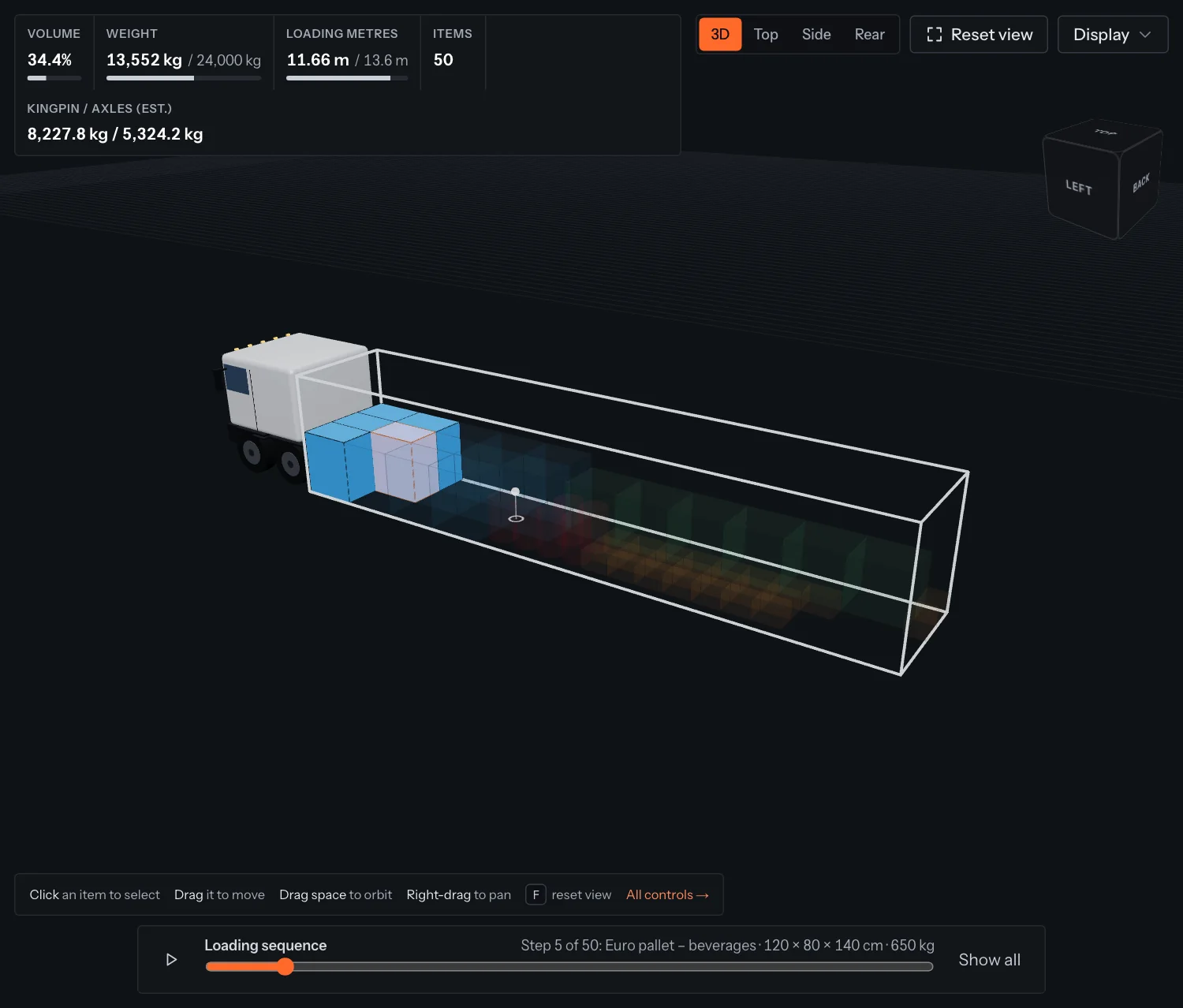
The bar at the bottom of the 3D view shows the order in which to load the vehicle: from the far end towards the doors, bottom layers before the ones on top.
- 1Click the play button to watch the load go in, item by item.
- 2Or drag the slider to a step. Items not loaded yet are shown faint; the current one is highlighted.
- 3The bar shows the step, the item, its size and weight.
- 4Click Show all to go back to the full load.
Tip
Set Labels on items to Load order in the Display menu to print the step number on every item. The PDF has the same list.
Something unclear or out of date? Tell us and we'll fix the page.