12 Load Planning Mistakes, What They Cost and How to Fix Them
The 12 common load planning mistakes, from outside dimensions to bunched part loads, with what each one costs in trucks, fines and claims and how to fix it.
Load planning basics · · 8 min read
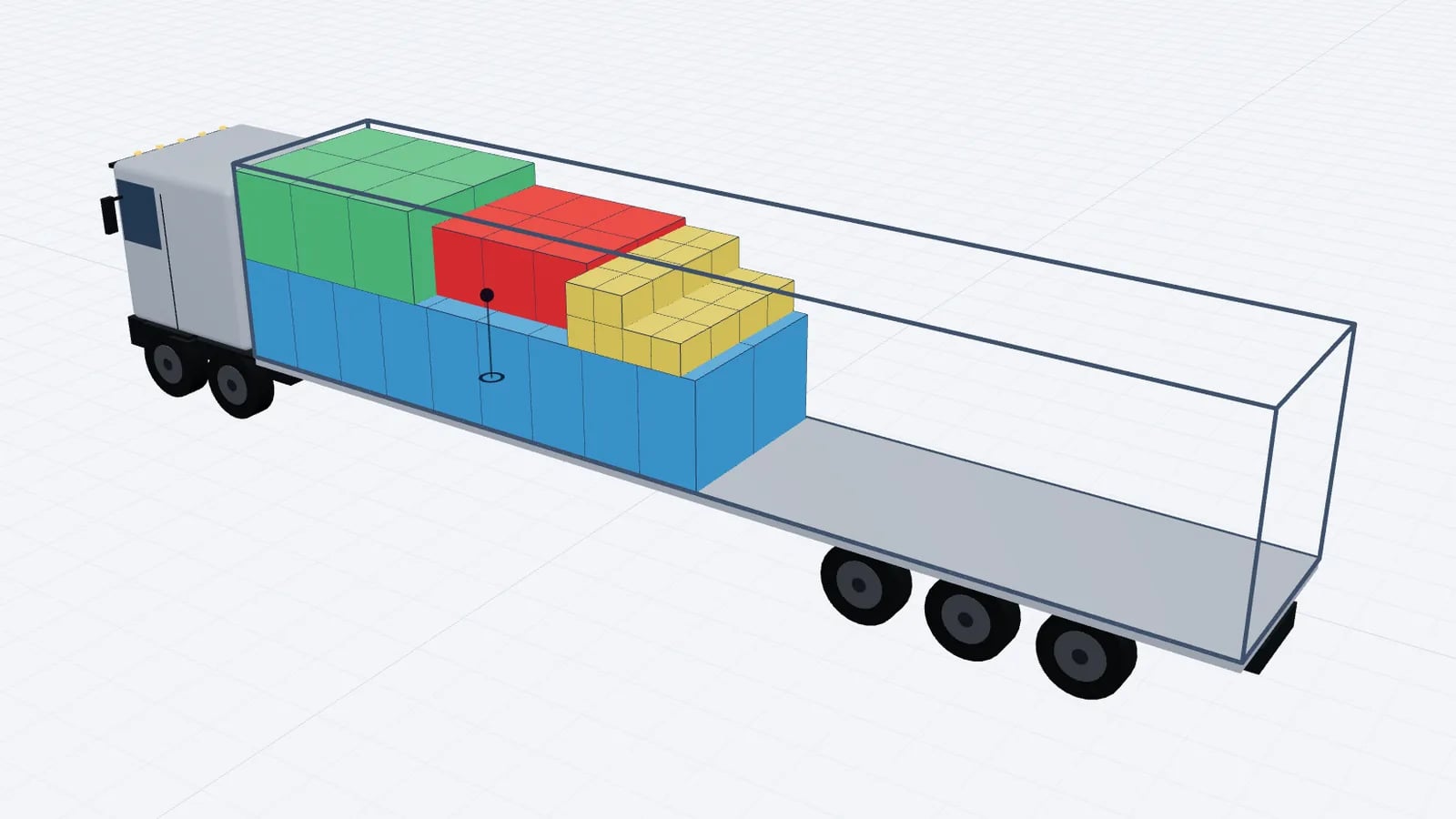
The most expensive load planning mistakes are rarely dramatic. A wrong inside height, a weight entered per line instead of per piece, a part load pushed against the front wall: each one looks small at the desk and turns into a pallet left on the dock, an axle fine or a damage claim. Below are the 12 mistakes we see most often, what each one typically costs, and the fix that stops it coming back.
The costs are worked examples with stated assumptions, not market rates. Put your own freight rates and claim values in and the order of magnitude usually holds. If you are new to the subject, start with what load planning is and come back here.
Data mistakes: wrong numbers in, wrong plan out
1. Planning with outside or brochure dimensions. A body builder's sales sheet often quotes outside length or a nominal 13.6 m that the inside never quite reaches once you allow for the front wall lining, the door frame and the rear posts. A plan built on 1,360 cm that meets a real 1,352 cm floor loses the last 8 cm, and with Euro pallets in 1.2 m rows that can mean the last row does not close.
Cost: one pallet row (two or three pallets) left behind and either a second truck or a re-delivery. Fix: measure each vehicle type once, inside, at floor level and under the roof, and save those sizes as your presets. Re-measure when a new trailer type joins the fleet.
2. Trusting the packing list without a sanity check. Weight per line read as weight per piece, millimetres read as centimetres, a pallet height that excludes the pallet itself (14.4 cm on a Euro pallet). The plan looks precise and is wrong.
Cost: anything from a wasted planning hour to a truck that arrives at the weighbridge 2 t heavier than planned. Fix: compare the plan's total weight and piece count with the order before anything else, and look at the 3D view: a pallet that looks like a matchbox or a wardrobe is a unit error. Training new load planners has a longer list of these input checks for teaching.
3. Forgetting the door opening. Many trailers and containers have a door opening several centimetres lower and narrower than the inside. A 265 cm crate fits under a 270 cm roof and still does not pass the door.
Cost: re-planning at the dock, or a side-loading vehicle booked at short notice. Fix: store the door width and height with the vehicle and check every tall or wide item against the door, not the roof.
Geometry mistakes: when volume lies
4. Planning by cubic metres only. Volume tells you the theoretical maximum, not what fits. Take 34 non-stackable Euro pallets, each 1.0 m tall including the pallet. Their volume is 34 × 1.2 × 0.8 × 1.0 = 32.6 m³, about 36% of a 13.6 × 2.45 × 2.7 m trailer (90 m³). By volume it is easy. On the floor it is impossible: a standard trailer takes 33 Euro pallets in one layer, so one stays behind.
Cost: a pallet on the dock, a customer told the order is split. Fix: for palletised freight, plan in floor positions or loading metres first, and use volume only for loose cartons. Mixed pallet footprints make this worse, which is why we wrote a separate guide on load planning with mixed pallets.
5. Using one orientation for everything. Loading every Euro pallet lengthwise works for 33, but with an odd count or a mix of sizes, a few crosswise rows often save a whole metre of floor. Planners who always use the same pattern leave space they never see.
Cost: typically 0.4 to 1.2 m of floor per load, which on a groupage trailer is one or two paying pallets. Fix: try both orientations per cargo type, or let an optimiser try them, and keep the version with the shortest loading length.
6. Leaving gaps you did not plan. A 20 cm gap at the doors or between two blocks is room for the load to move under braking. It is also floor you paid for.
Cost: shifted cargo, damage, and in a roadside check a securing defect. Fix: either close the gap in the plan or plan the blocking for it (airbags, timber, an empty pallet), so the crew knows what goes there.
Weight mistakes: legal on paper, overloaded on the road
7. Checking gross weight and ignoring the axles. A 12 t part load on a 24 t trailer is half the payload, yet bunched against the front wall it can put most of its weight on the kingpin and the tractor's drive axle. Axle limits are separate from the gross limit, and a roadside scale reads each one.
Cost: fines that rise with the percentage over the limit, and the truck held until the load is corrected. Amounts differ widely by country, so check the rules for your route. Fix: spread part loads along the floor, estimate axle loads before release, and read weight distribution in a trailer for the lever arithmetic.
8. Stacking by height instead of by strength. Two 1.2 m pallets fit under a 2.7 m roof, so they get stacked. Whether the lower pallet can carry 600 kg on top is a different question, and the packing list rarely answers it.
Cost: a crushed pallet and a claim. If the goods are worth €2,500 a pallet, one bad stack costs more than a month of extra floor space on that lane. Fix: record a stacking rule for every product the first time you ship it (stackable or not, maximum weight on top, how many layers), and keep it with the item. Pallet stacking rules covers how to set them.
Process mistakes: right plan, wrong moment
9. Planning after picking. If the first time anyone checks the fit is when the pallets stand at the door, every problem becomes a dock problem: the order is picked, the truck is there, and the only options are to leave something or call another vehicle at the day's rate.
Cost: say a planned trailer on a domestic lane costs €900 and a van booked at 16:00 for three left-over pallets costs €350. One such evening a week is about €18,000 a year. Fix: plan when the order is released, before picking, and feed the plan into the pick and staging sequence. Outbound staging and load planning shows how that timeline works.
10. Booking the vehicle before the plan. Habit books a 13.6 m trailer for everything. Twelve Euro pallets at 220 kg each weigh 2,640 kg and fit a 7.5 t truck with a 5.0 m body and a 3,000 kg payload. The opposite also happens: a rigid booked for a load that needs 9.2 loading metres.
Cost: the price difference between vehicle classes on every load, or a failed collection. Fix: plan first, then book. Compare the plan on two or three vehicle sizes before you call the haulier.
11. Ignoring the delivery order. A plan that fits but puts the first stop's pallets at the front wall makes the driver unload and reload half the trailer at the first customer.
Cost: 30 to 60 minutes per stop, a missed delivery window, and handling damage. Fix: give every line a stop number, load the last stop first, and check the view from the doors before release.
12. A plan the dock never sees. The planner revises the plan at 15:00; the forklift driver loads from the 11:00 printout. Or the plan lives in an email the driver cannot open.
Cost: all of the above, because the right plan was made and not used. Fix: one current version, in a format the dock and driver actually read (a printed sheet with a loading order, or a link that always shows the latest version), and old versions withdrawn.
The load planning mistakes at a glance
Mistake: 1. Outside dimensions
- Typical cost
- Last row left behind
- Fix
- Measured inside sizes as presets
Mistake: 2. Unchecked packing list
- Typical cost
- Wrong weight, wrong fit
- Fix
- Check totals and look at the 3D view
Mistake: 3. Door opening ignored
- Typical cost
- Item cannot enter
- Fix
- Store door size; check tall items against it
Mistake: 4. Volume-only planning
- Typical cost
- Pallets left on the dock
- Fix
- Plan floor positions or loading metres
Mistake: 5. One orientation only
- Typical cost
- 0.4–1.2 m of floor lost
- Fix
- Try lengthwise and crosswise rows
Mistake: 6. Unplanned gaps
- Typical cost
- Shifted cargo, securing defect
- Fix
- Close or block every gap
Mistake: 7. Axles ignored
- Typical cost
- Fines, truck held
- Fix
- Spread part loads; estimate axle loads
Mistake: 8. Stacking by height
- Typical cost
- Crushed goods, claims
- Fix
- Stacking rule per product
Mistake: 9. Planning after picking
- Typical cost
- Last-minute extra vehicle
- Fix
- Plan at order release
Mistake: 10. Vehicle booked first
- Typical cost
- Wrong vehicle class
- Fix
- Plan, compare, then book
Mistake: 11. Delivery order ignored
- Typical cost
- Re-handling at every stop
- Fix
- Stop numbers; last stop first
Mistake: 12. Plan not at the dock
- Typical cost
- Correct plan not used
- Fix
- One live version the crew can read
| Mistake | Typical cost | Fix |
|---|---|---|
| 1. Outside dimensions | Last row left behind | Measured inside sizes as presets |
| 2. Unchecked packing list | Wrong weight, wrong fit | Check totals and look at the 3D view |
| 3. Door opening ignored | Item cannot enter | Store door size; check tall items against it |
| 4. Volume-only planning | Pallets left on the dock | Plan floor positions or loading metres |
| 5. One orientation only | 0.4–1.2 m of floor lost | Try lengthwise and crosswise rows |
| 6. Unplanned gaps | Shifted cargo, securing defect | Close or block every gap |
| 7. Axles ignored | Fines, truck held | Spread part loads; estimate axle loads |
| 8. Stacking by height | Crushed goods, claims | Stacking rule per product |
| 9. Planning after picking | Last-minute extra vehicle | Plan at order release |
| 10. Vehicle booked first | Wrong vehicle class | Plan, compare, then book |
| 11. Delivery order ignored | Re-handling at every stop | Stop numbers; last stop first |
| 12. Plan not at the dock | Correct plan not used | One live version the crew can read |
How to stop repeating them
Most of these mistakes repeat because the knowledge sits in one person's head. Three habits change that:
- 1Keep master data. Inside dimensions and door sizes per vehicle, and size, weight and stacking rules per product. Every plan then starts from checked numbers.
- 2Use a release check. Before a plan goes to the dock: total weight and pieces match the order, axle estimate within limits, stop order correct, every gap closed or blocked. Our guide on how to make a load plan has the full sequence.
- 3Feed back from the dock. When something did not fit or moved in transit, find out which of the 12 it was and correct the master data, not just today's plan.
Tip
In EveryLoading you can paste the packing list from Excel, set stacking rules and stop numbers per row, and let the optimiser try lengthwise and crosswise patterns. The centre-of-gravity estimate, plus axle loads on Pro, warns above your limits, and the plan goes to the dock as a step-by-step loading sequence, a PDF or a share link. Start with a free account and test it on a load that went wrong last month.
Frequently asked questions
What is the most common load planning mistake?
Planning by volume instead of floor space. Pallets and non-stackable goods run out of floor long before the cubic metres are used, so the load looks like it fits on paper and does not at the dock.
How do I check a load plan before loading?
Compare total weight and piece count with the order, check tall items against the door opening, confirm axle loads and stacking rules, and look at the plan from the doors to make sure the first stop is unloaded first.
Why is my truck overweight on one axle but not overall?
Because the load's centre of gravity sits too close to one end. A part load pushed to the front wall loads the kingpin and drive axle heavily even when the gross weight is well under the limit.
Who is responsible for load planning errors?
It depends on the contract and the country, but shippers, loaders and carriers can all share responsibility for overloading and poor securing. Agree in writing who plans, who loads and who checks.
Keep reading
Load planning basics · · 8 min read
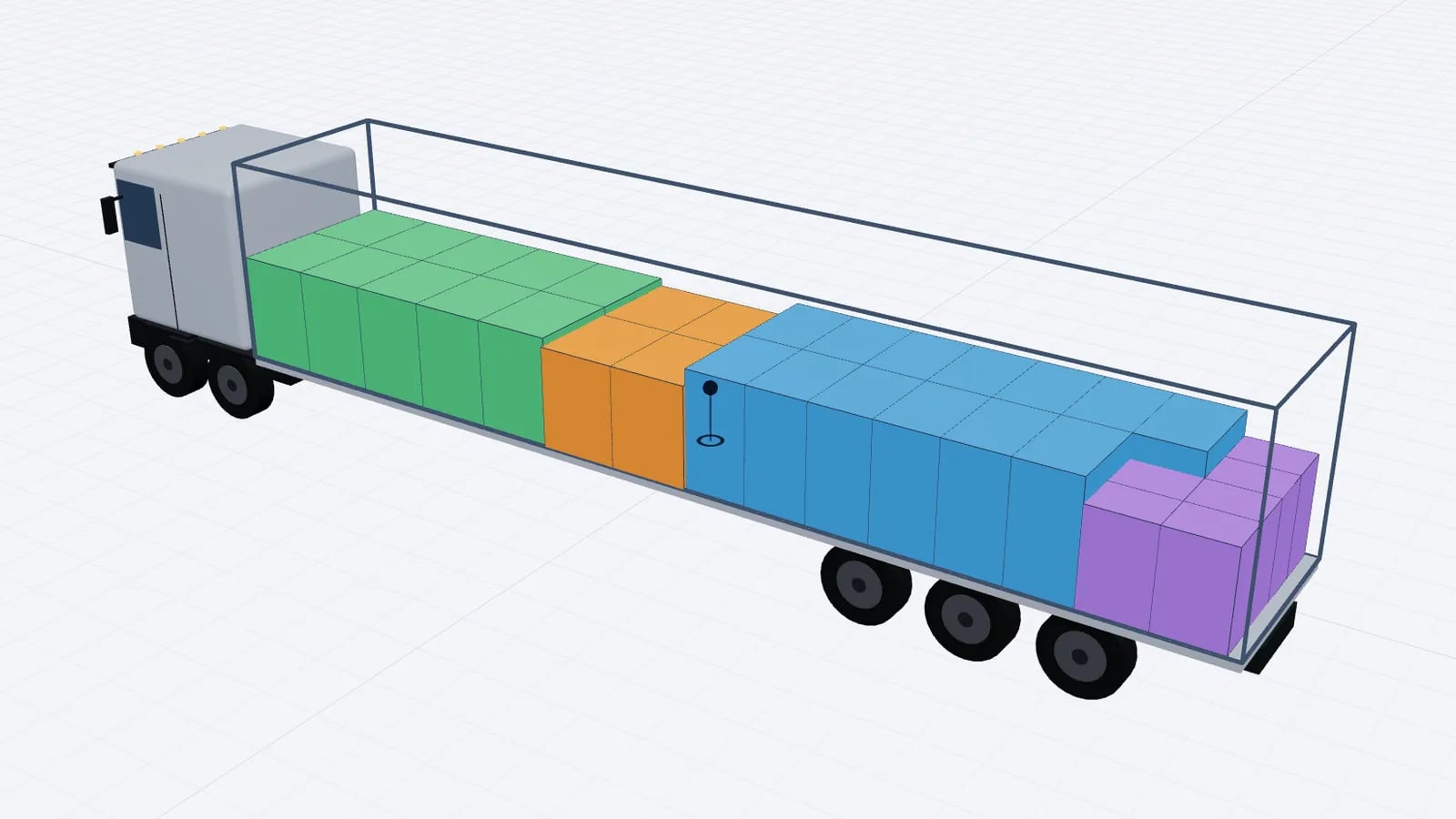
Load Planning with Mixed Pallets: Euro, Industrial, Half, US
Load planning with mixed pallets: how Euro, industrial, half and US pallets share a 13.6 m trailer, which rows to turn, and a worked example in loading metres.
Read article
Load planning basics · · 8 min read
Ti-Hi Pallet Calculation: Cases per Layer and Layers High
What Ti-Hi means and how to calculate it: cases per layer times layers, worked on 48×40 in and 120×80 cm pallets, with height, weight and crush checks.
Read article
Load planning basics · · 7 min read
What Is Palletization? Meaning, Methods and When to Use It
Palletization means stacking and securing goods on a pallet so they move as one unit. What it involves, the main methods, and when loose loading fits more.
Read article